
01
Connect the visit with the follow-up.
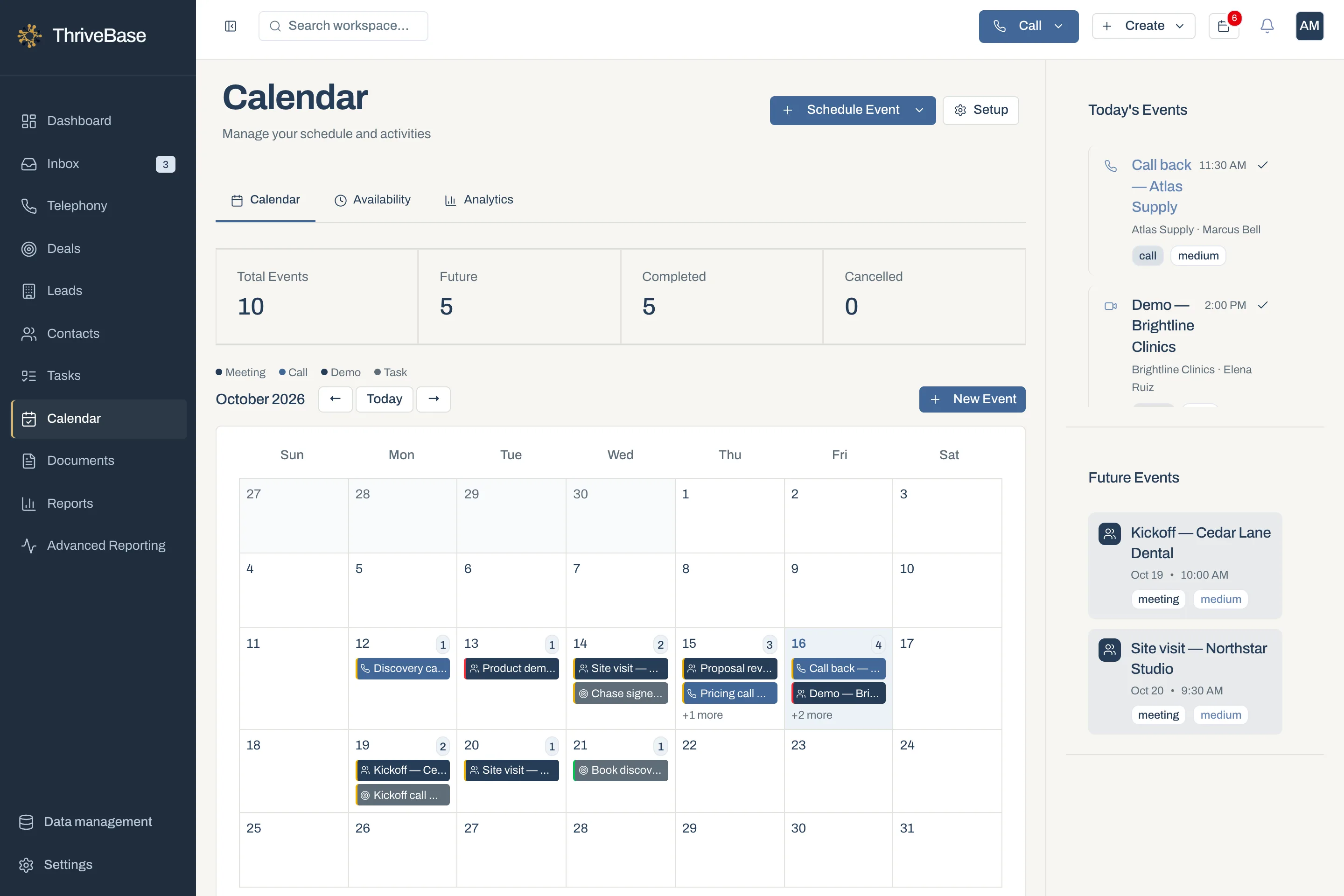
A calendar entry sets the appointment. Tasks cover preparation, quote discussion and any later check-in.
- Assessment appointments
- Preparation and confirmation tasks
- A next step after the visit
Organise service enquiries, assessments and quote follow-ups so each customer knows what happens next and your team knows who will do it.
An example business and workflow, informed by industry research. Not a customer testimonial or a claim of measured results.
A local installation and maintenance business handling considered purchases and repeat service enquiries.
An office coordinator, an estimator and the business owner.
Give each sales lead an owner, useful context and an agreed next action.
The starting point
The phone rings while the estimator is at a customer’s home. A WhatsApp message needs more information. Yesterday’s quote still needs a follow-up. When the office relies on memory, a perfectly good enquiry can sit unanswered between visits.
Lead sources
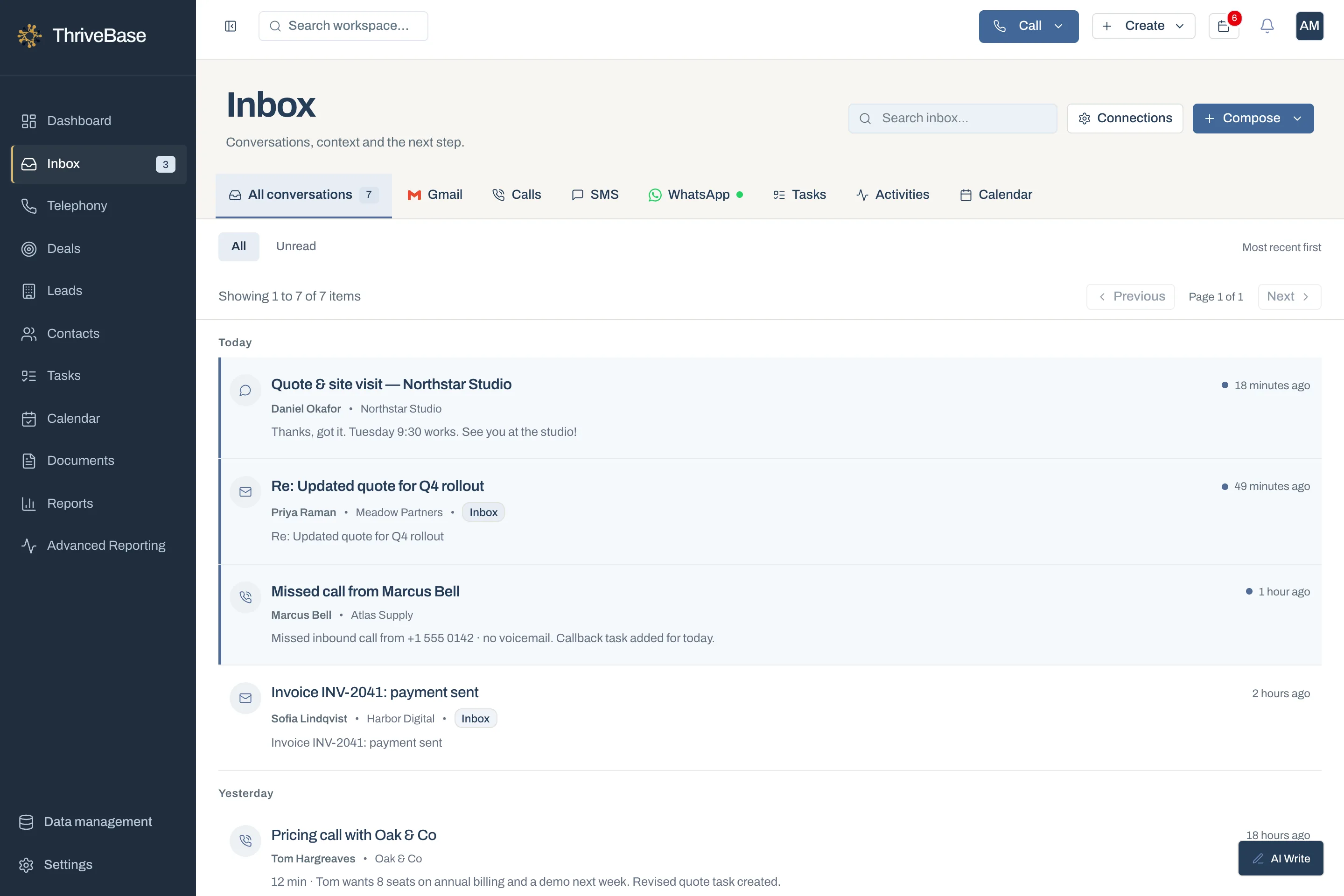
Record the requested service, location and contact details from phone enquiries or connected conversations.
Use configured capture, imports or manual entry to bring identifiable enquiries into the lead list.
Retain the relationship and previous conversation context when a customer asks about more work.
The workflow
A homeowner asks about replacing an ageing heating unit. The coordinator records the request, address context and contact preference, then assigns the next action.
The coordinator asks for the information the estimator needs and saves it in notes. They distinguish an assessment enquiry from a general service question.
The agreed visit goes into the calendar. A preparation task names who will confirm access and check the brief before attending.
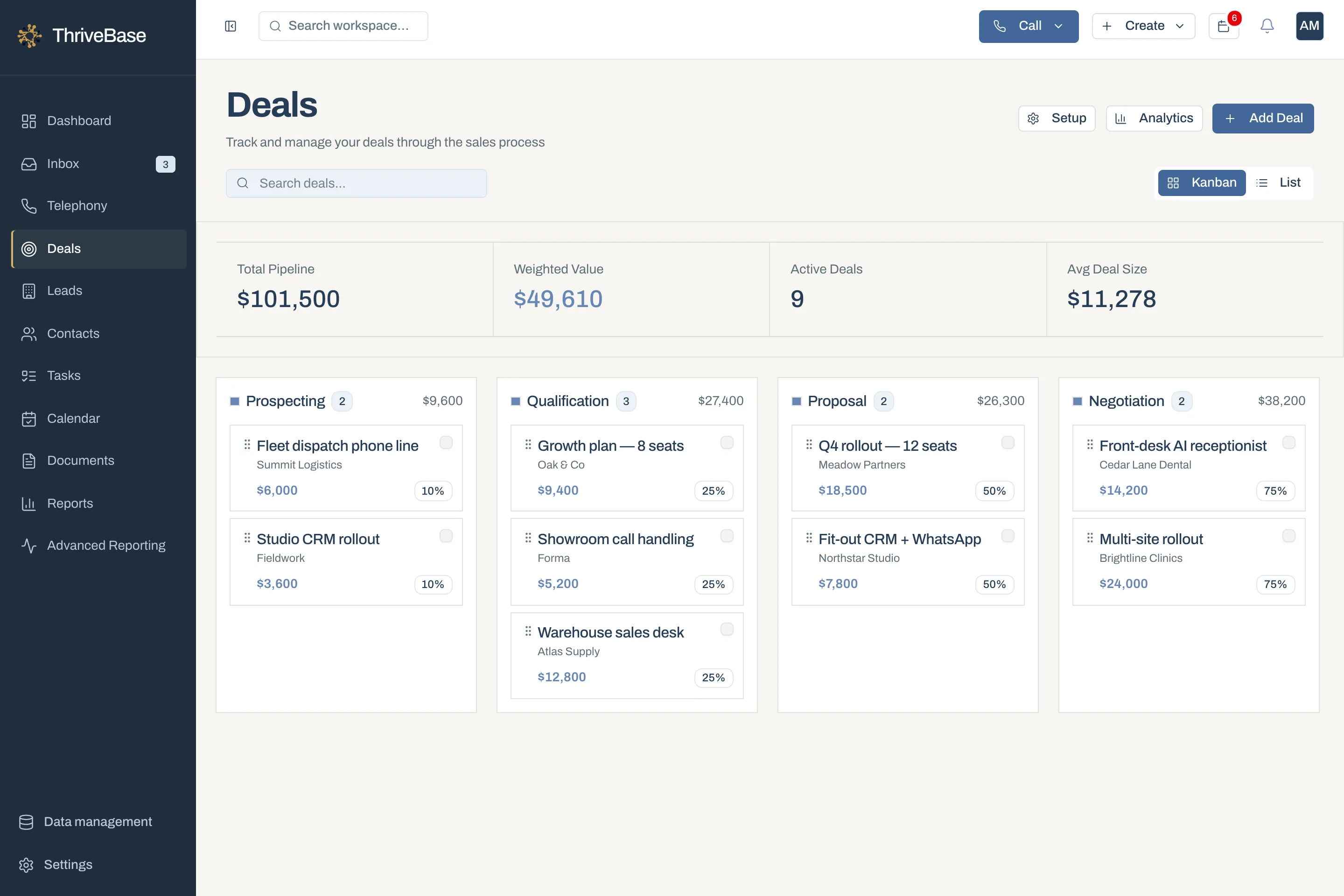
The estimator prepares the quote using the business’s quoting process, shares the document and records the opportunity value. Technical specifications and pricing remain subject to the estimator’s review.
A dated task reminds the office to ask whether the homeowner has questions. If the timing changes, they record the reason and agree a later contact rather than treating silence as rejection.
The team updates the sales outcome and passes the agreed details to its job-management process. After the work, a check-in task helps close any open questions and record future service interest.
Inside ThriveBase
Keep the service request and conversation context available to the person handling the next contact.
01
A calendar entry sets the appointment. Tasks cover preparation, quote discussion and any later check-in.
02
Use deals for sales opportunities that require a decision, with value and stage recorded by the team. The office can review the pipeline before deciding who to call.
Team handover
Captures requests and confirms appointments.
Records requirements and prepares the quote.
Reviews open opportunities and confirms the delivery handover.
What to measure
Check whether new service requests have a next action.
Review open opportunities with overdue follow-up tasks.
Compare accepted and declined opportunities, with reasons recorded by the team.
Suggested review measures, not claimed results or a promise of built-in dashboards. Establish a baseline and compare consistent periods using CRM records, exports and your operational systems.
No. Use your field-service system for dispatch, job schedules, route planning and invoicing. ThriveBase supports enquiries, appointments and the sales relationship around that work.
This story uses quotes prepared by your team and shared as documents. It does not assume a native materials calculator or automated estimate generator.
Industry sources informed the business context. The example workflow is our application of that context to ThriveBase, not an endorsement by these publishers.
Quote follow-up is a separate step from sending an estimate. This scenario assigns that step an owner and an agreed date.