
01
Know the customer before you walk in.
Every WhatsApp chat with the customer, with the latest messages first, so you arrive knowing what was agreed.
- WhatsApp conversations by customer
- Unread replies highlighted
- Open the contact or lead in a tap
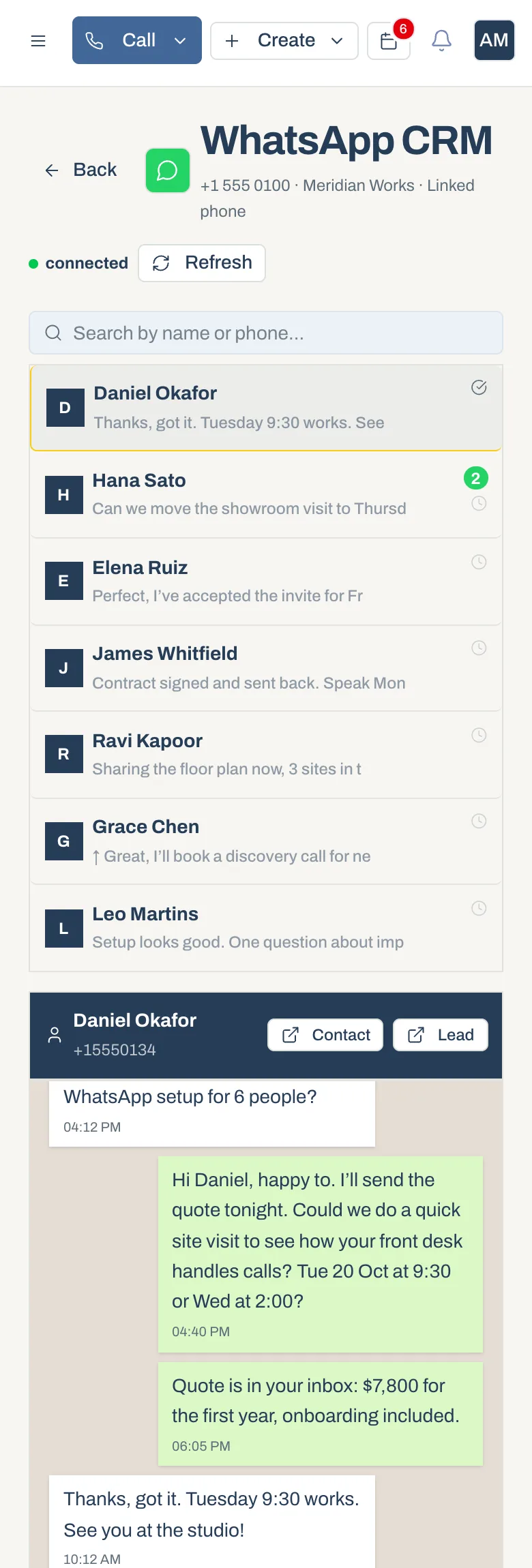
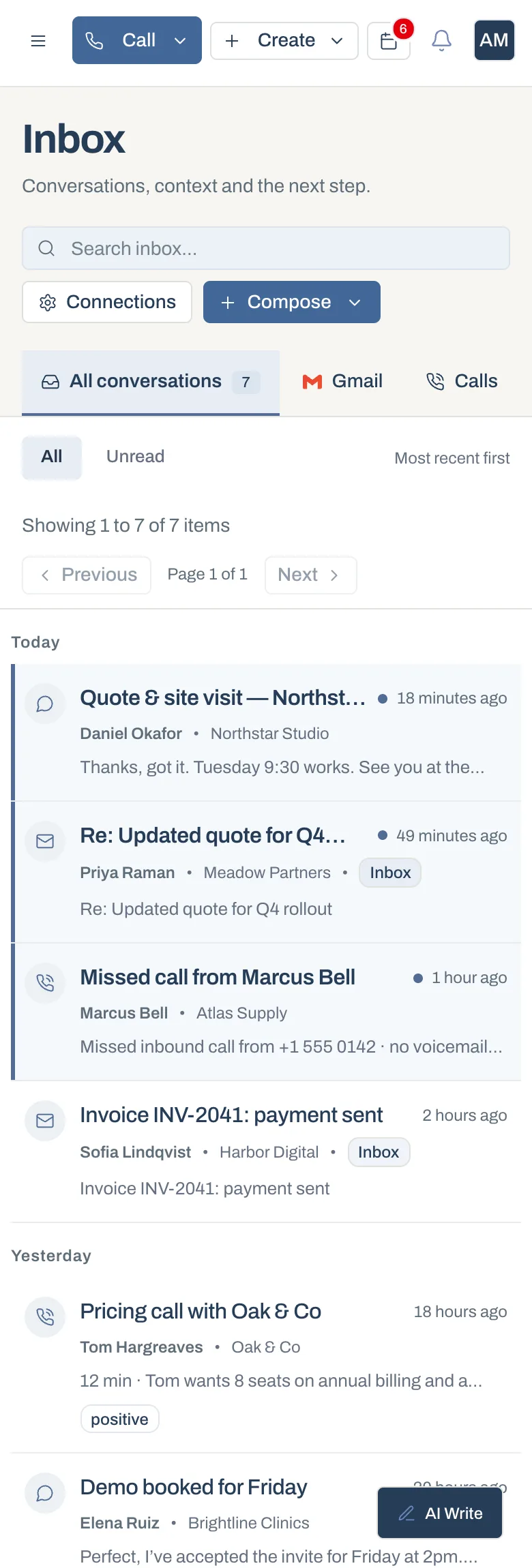
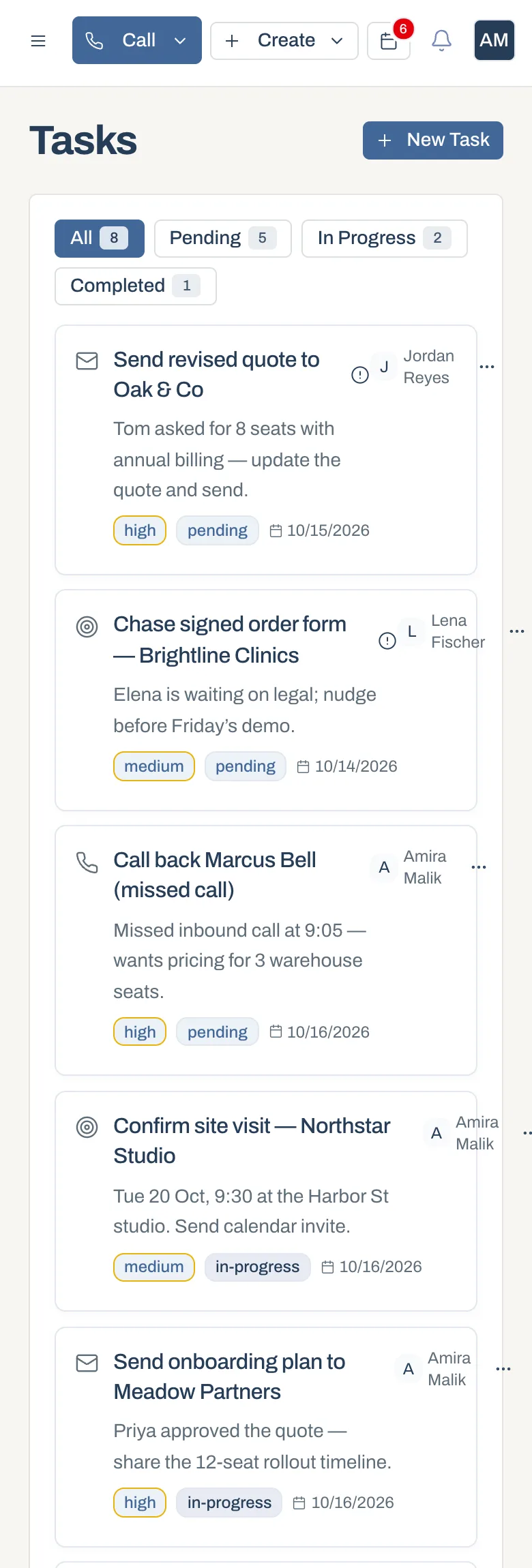
Look up a customer before you walk in, catch up on messages between meetings and clear your next task on the way to the next one.
How it works
Open the conversation and recent activity before a visit.
Read and reply to messages while you’re on the move.
Tick off follow-ups and update the deal as you go.
01
Every WhatsApp chat with the customer, with the latest messages first, so you arrive knowing what was agreed.
02
Messages, calls and email from the shared inbox, ready to read and answer between meetings.
03
Your follow-ups, call-backs and visits for the day, with owners, priorities and due dates.
How teams use it
Check history and update deals between site visits.
Look up a customer while they’re standing in front of you.
See the pipeline and team activity from anywhere.
Mobile features can differ from the web workspace. Ask us about current iOS and Android availability for your account.
Ask our team about current iOS and Android availability for your account. The web workspace also works in your phone’s browser.
Yes. Mobile and web use the same records, so notes and updates appear everywhere.
Yes. The shared inbox and WhatsApp conversations work in the phone browser, on the same records your team uses at the desk.