
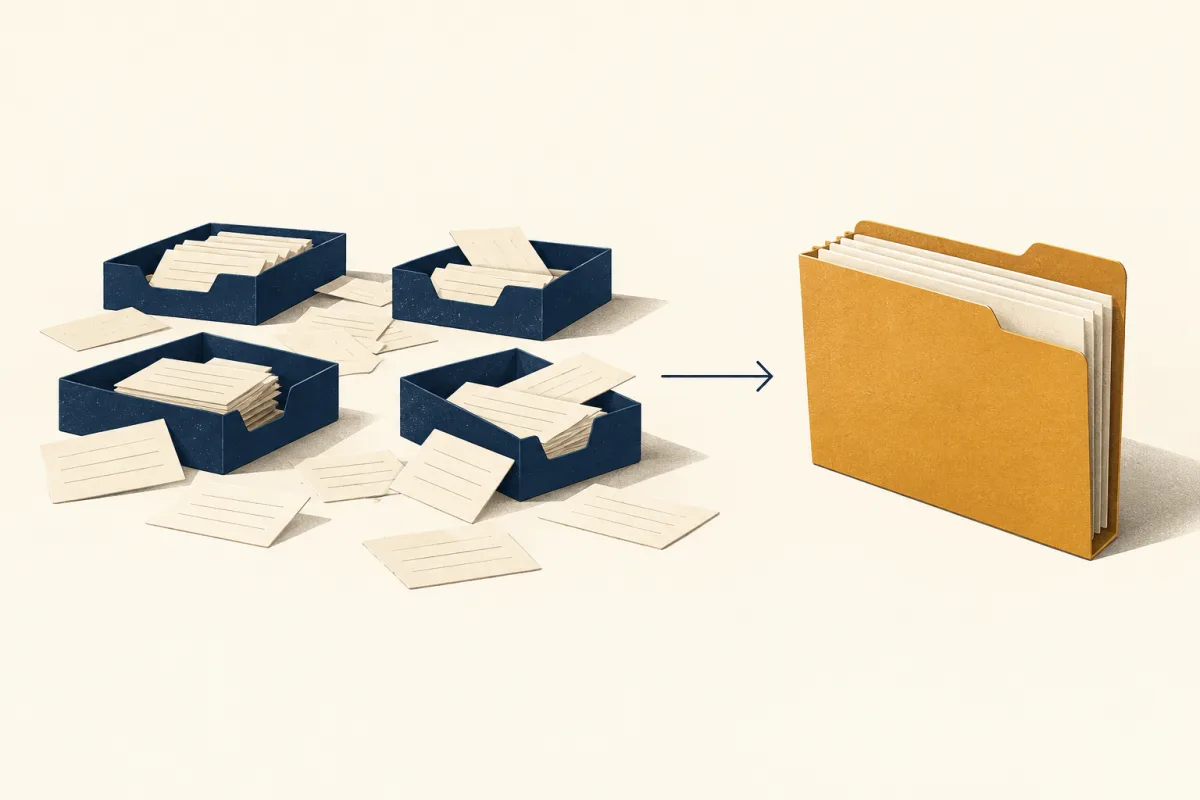
What Is Business Tool Overload?
Business tool overload is the point where the number of software applications a company uses creates more inefficiency and complexity than it solves. It manifests as decreased productivity, fragmented data across disconnected systems, and rising operational costs, ultimately hindering a business's ability to function cohesively and grow effectively.
It starts innocently enough. You're a growing business, and you need a way to manage customer emails. So, you sign up for an email marketing service. Then you need to track your sales pipeline, so you add a simple CRM. A separate tool for scheduling meetings follows, then another for invoicing, and another for team chat. Each decision makes sense in isolation.
But before you know it, you're the ruler of an 'App Archipelago'—a scattered collection of digital islands. Each island holds precious data, but none of them talk to each other. Your customer data on the 'Email Island' is different from the data on the 'CRM Island,' and neither knows what's happening on 'Scheduling Island.'
Tool overload happens when each new application solves a local problem but adds another place to update customer information. Count the tools your team actually uses and identify where the same record is copied between them.
Why Is Tool Sprawl So Damaging for Small Businesses?
Tool sprawl is particularly damaging for SMEs because it creates hidden financial drains, kills employee productivity through constant context switching, and fractures critical customer data. This trifecta of problems leads directly to missed growth opportunities, poor strategic decisions, and a frustrating experience for both your team and your customers.
The Silent Financial Drain
Each subscription—$19 here, $49 there—seems manageable on its own. But together, they create a significant, often un-audited, operational expense. It's a classic case of death by a thousand cuts. You're not just paying for software; you're paying for overlapping features and tools that your team might not even be using to their full potential.
The Productivity Sinkhole
Have you ever tried to write a report by pulling data from five different spreadsheets and two separate apps? The time spent toggling between tabs, logging in and out, and manually transferring information is a massive productivity killer. A landmark study from the University of California, Irvine, found it can take over 23 minutes to fully refocus after a single digital interruption. Now, multiply that by dozens of times per day, per employee.
The Data Chaos
When your customer information is scattered, you can never get a complete picture. A customer might have unsubscribed in your email tool, but your sales team, working from the CRM, doesn't know that and sends a follow-up. This not only creates embarrassing situations but also makes true personalization impossible. It’s one of the clearest indicators that you need a new approach to your CRM and data management.
How Can SMEs Strategically Solve Tool Overload?
The most effective solution for SMEs is to strategically consolidate their technology stack by adopting an all-in-one business management platform. This approach centralizes all operational and customer data, automates cross-departmental workflows, and eliminates redundant tools, thereby reducing costs and boosting overall efficiency.
The first step isn't to buy another tool; it's to conduct an audit. Make a list of every application your business pays for. Ask yourself:
- What specific problem does this tool solve?
- Is its functionality duplicated by another tool we use?
- How often is it actually used?
- Does it integrate with our other critical systems?
Once you've mapped out your archipelago, the path forward becomes clearer. The goal is to build bridges between your islands, or better yet, bring them all together onto a single, unified continent. This is the promise of an integrated platform—a central hub for your business operations.
ThriveBase brings contacts, leads, connected conversations, calling and pipeline work into one workspace. Agree on which records belong there and which remain in specialist systems. A shared workspace is useful only when the team keeps its records current.
What Should You Look for in an All-in-One Platform?
When choosing an all-in-one platform, SMEs should prioritize core functionality that replaces their most critical tools, such as CRM, email marketing, and scheduling. It’s crucial to look for a solution with an intuitive user interface, the ability to scale as your business grows, robust automation capabilities, and transparent pricing.
Core Features and Scalability
Your chosen platform must cover your non-negotiables. Does it have a robust CRM at its core? Can it handle email and SMS marketing? Does it offer smart scheduling and invoicing? Ensure the platform can replace at least 3-5 of your existing tools to make the switch worthwhile. Also, ensure it can grow with you, from a team of two to a team of fifty.
Intelligent Automation and AI
Modern platforms are more than just databases; they are proactive partners. Look for workflow automation that can handle repetitive tasks, like sending follow-up emails or assigning new leads to a sales rep. Furthermore, the integration of AI business tools is no longer a luxury. Features like AI-powered chatbots or email assistants can dramatically improve efficiency and customer engagement.
Comparing the Approaches
The difference between a scattered and a unified approach is stark. Seeing it laid out can often be the final push a business needs to make a change.
| Aspect | Disconnected Tools Approach | All-in-One Platform Approach |
|---|---|---|
| Data Management | Siloed data across multiple apps, leading to inconsistencies. | Centralized data providing a single source of truth. |
| Monthly Cost | High cumulative subscription fees from 10+ vendors. | A single, predictable, and often lower monthly fee. |
| Workflow Automation | Complex and brittle; often requires third-party integrators. | Native, seamless automation across all business functions. |
| User Experience | Constant context switching and management of multiple logins. | A unified dashboard and a single login for all tasks. |
| Customer View | Fragmented and incomplete, leading to poor service. | A complete 360-degree view of the entire customer journey. |
What's the Bottom Line on Business Tool Overload?
The story of the 'App Archipelago' is common, but it doesn't have to be your story. Recognizing the hidden costs and inefficiencies of tool overload is the first step toward building a more streamlined, resilient, and scalable business. By trading complexity for cohesion, you empower your team to do their best work.
- Tool Overload is a Hidden Threat: It quietly drains your finances, productivity, and growth potential.
- Data Silos are Opportunity Killers: A fragmented view of your customer is a barrier to providing excellent service and personalized marketing.
- Consolidation is the Solution: A strategic audit followed by a move to an all-in-one platform is the most effective path forward for most SMEs.
- A Unified Platform is an Asset: It's more than software; it's a central nervous system for your business that provides a single source of truth and powerful automation.
If the story of juggling countless apps and scattered data feels familiar, it might be time to map out your own 'App Archipelago' and explore how a unified platform could build the bridges you need. The journey begins with a simple audit of your current tools to identify the biggest sources of friction in your daily operations.
Frequently Asked Questions
How quickly can we switch to an all-in-one platform?
Allow time to clean your contacts, map fields, connect channels and test permissions. Begin with a small import and one sales workflow before moving the whole team. The timeline depends on the data and integrations involved.
Will an all-in-one platform be less powerful than specialized tools?
This is a common concern, but today's leading all-in-one solutions offer enterprise-grade features that rival their specialized counterparts. While a single tool might have slightly deeper functionality in one niche area, the immense value of seamless integration and workflow automation across all your business functions almost always outweighs it.
Is an all-in-one platform affordable for a small business?
Absolutely. When you calculate the total monthly cost of all your individual subscriptions, a single platform is often significantly more affordable. Many, including ThriveBase, offer flexible per-seat pricing models designed specifically for the budgets of small and growing businesses, allowing you to save money while gaining more power.